The Pradhan Mantri Awas Yojana (PMAY) remains the cornerstone of the Indian government’s “Housing for All” mission. As we move through 2026, the scheme has entered its next phase, PMAY 2.0, aiming to provide 1 crore more houses to eligible families across India.
If you have applied for this scheme, checking the PM Awas Yojana List 2026 is the most critical step. Your name on this list confirms your eligibility to receive financial assistance. This guide provides a detailed, step-by-step walkthrough to check your status for both Gramin (Rural) and Urban categories, along with the latest eligibility criteria for 2026.
Introduction
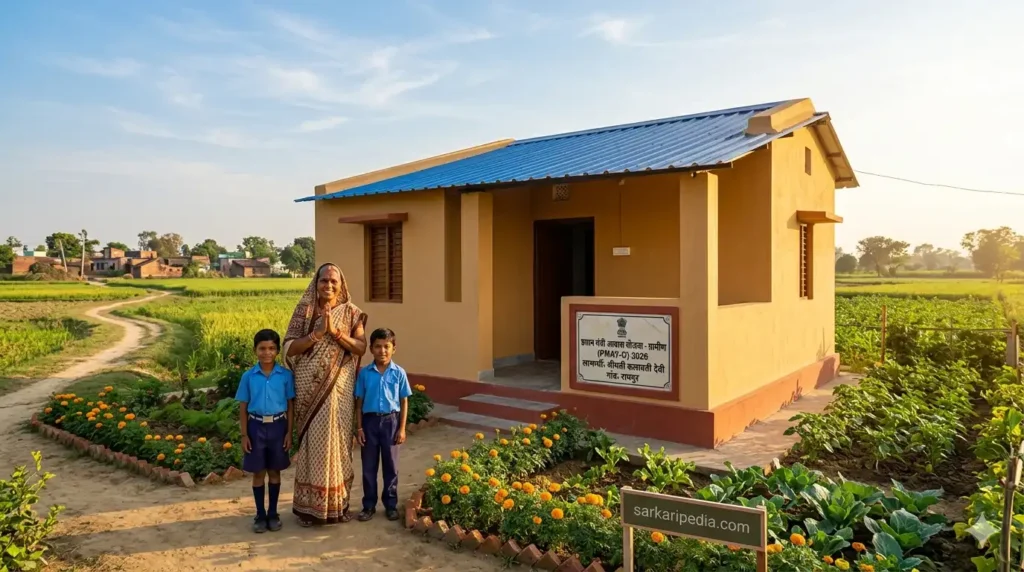
The Pradhan Mantri Awas Yojana (PMAY) was launched in 2015 with the ambitious goal of providing affordable pucca houses to all eligible citizens. The scheme operates in two primary verticals: PMAY-Gramin (PMAY-G) for rural areas and PMAY-Urban (PMAY-U) for cities and towns.
Latest Update 2026: PMAY 2.0
The government has launched PMAY-U 2.0, a new phase running from 2024 to 2029, targeting the construction and support of approximately 1 crore urban houses. This phase introduces updated income criteria and a focus on rental housing and inclusive development.
Why the List Matters
The official list is the master record of selected beneficiaries. Checking your name in the PM Awas Yojana Gramin List or the PMAY Urban List is the first and most essential step. It confirms that your application has been approved and provides the details necessary to receive the sanctioned funds directly into your bank account.
PMAY Gramin (PMAY-G) List 2026
PMAY-G focuses on providing housing for the rural poor. The financial assistance provided is up to ₹1.20 lakh for houses in plain areas and ₹1.30 lakh for houses in hilly or difficult areas.
How to Check PMAY-G List Online (Step-by-Step)
Follow these steps to verify your name in the PMAY-Gramin beneficiary list for 2026 :
- Visit the Official Portal: Go to
pmayg.nic.in. - Navigate to Stakeholders: On the homepage, locate and click the “Stakeholders” tab in the top menu.
- Select Beneficiary Option: From the dropdown, click on “IAY/PMAYG Beneficiary”.
- Search Methods:
- Option A (Using Registration Number): Enter your registration number and click “Submit” to view your details.
- Option B (Advanced Search): If you don’t have a registration number, click on “Advanced Search”. Select your State, District, Block, and Gram Panchayat to find your name in the list.
- View Details: Once submitted, the system will display your details, including the beneficiary name, father’s name, PMAY ID, and the sanctioned amount.
PMAY Urban (PMAY-U) 2.0 List 2026
The urban component is now in its 2.0 phase, designed to cater to the needs of city dwellers from the Economically Weaker Section (EWS), Low Income Group (LIG), and Middle Income Group (MIG) .
The 4 Verticals of PMAY-U 2.0
The scheme offers support through four main verticals :
- Beneficiary-Led Construction (BLC): Financial assistance for individuals to construct new houses.
- Affordable Housing in Partnership (AHP): Financial support to public and private agencies for building affordable housing projects.
- Affordable Rental Housing (ARH): A new vertical for migrants and urban poor to access rental housing.
- Interest Subsidy Scheme (ISS): Up to 4% interest subsidy on home loans of up to ₹8 lakh, with a maximum subsidy of about ₹1.80 lakh.
How to Track Urban Status
To check your assessment status under PMAY-U 2.0, use the following steps :
- Visit the Official Portal: Go to
pmaymis.gov.in. - Citizen Assessment: In the menu, click on “Citizen Assessment”.
- Track Status: Select “Track Your Assessment Status”.
- Search by Details:
- By Name & Mobile: Enter your State, District, City, Name, Father’s Name, and Mobile Number.
- By Assessment ID: If you have your Assessment ID, enter it along with your mobile number to get a direct status update.
Eligibility Criteria for 2026
To ensure your name appears in the list, you must meet the updated eligibility criteria for 2026. The table below summarizes the income limits and benefits under PMAY-U 2.0 .
| Category | Annual Income Limit | Max Subsidy/Benefit |
|---|---|---|
| EWS | Up to ₹3 Lakh | Up to ₹2.67 Lakh / 4% Interest Subsidy |
| LIG | ₹3 Lakh – ₹6 Lakh | Up to ₹2.67 Lakh / 4% Interest Subsidy |
| MIG | ₹6 Lakh – ₹9 Lakh | Interest Subsidy on ₹8 Lakh loan amount |
Mandatory Conditions for All:
- No Pucca House: The applicant or any family member must not own a pucca house anywhere in India.
- Aadhaar Linkage: Aadhaar must be linked to the bank account for Direct Benefit Transfer (DBT).
- Preference: Priority is given to female heads of the household, widows, and persons with disabilities.
Documents Required for Verification
If your name appears on the list, or if you plan to apply, keep these documents ready for verification:
- Aadhaar Card & PAN Card: For identity and KYC compliance.
- Income Certificate / Form 16: To prove your eligibility under EWS/LIG/MIG categories.
- Address Proof: Voter ID, utility bills (electricity/water), or ration card.
- Bank Account Details: A passbook showing the account number and IFSC code, preferably linked to Aadhaar.
- Affidavit: A self-declaration stating that you do not own a pucca house in India.
State-Wise List Links (Direct Access)
Many states have high search volumes. While the official portals are centralized, you can check the progress of your state. Here are instructions for major states:
| State | How to Access / Status Check |
|---|---|
| Uttar Pradesh | Visit the official PMAY-G portal and use advanced search with District (e.g., Lucknow, Etawah) and Block details. Urban flats registrations are often managed by the UP Housing Board (UPAVP) . |
| Bihar | Use the advanced search on pmayg.nic.in. Bihar has a significant target of over 50 lakh rural houses, with high completion rates . |
| Madhya Pradesh | Use the state filter on pmayg.nic.in. Madhya Pradesh has one of the highest allocation targets under PMAY-G . |
| Rajasthan | Search using the district and panchayat filters on the official portal. |
| Maharashtra | For rural housing, use the Gramin portal. For urban (especially Mumbai, Pune), use pmaymis.gov.in to track AHP projects. |
What to do if your name is NOT in the list?
If you cannot find your name in the PM Awas Yojana List 2026, do not be discouraged. Here is what you should do:
- Check Rejection Reasons: Incomplete KYC, mismatch in income details, or the discovery that a family member already owns a pucca house are common reasons for exclusion.
- Grievance Redressal: Contact your local Gram Panchayat (for rural) or Urban Local Body/Municipal Office (for urban). You can also raise a grievance on the official portals (pmayg.nic.in or pmaymis.gov.in).
- Awaas+ 2024 Survey: The government conducts surveys like Awaas+ to include left-out households. Ensure your details are updated in the Socio-Economic Caste Census (SECC) data to be considered for future rounds.
Frequently Asked Questions (FAQs)
After the name appears, funds are released in installments based on the construction progress. The first installment is usually released after verification. There may be a delay of a few weeks to months depending on the verification stage.
Yes. If you own a plot, you can apply under the Beneficiary-Led Construction (BLC) vertical, which provides financial assistance for building the house.
No. Checking the PM Awas Yojana list is completely free. The government does not charge any fee for this service. Beware of scams demanding payment to “secure” a place in the list.
Conclusion & Important Links
The PM Awas Yojana is a transformative initiative that turns the dream of owning a home into reality for millions of Indians. With the advent of PMAY 2.0 in 2026, the process has become more transparent and technology-driven, thanks to geo-tagging and digital monitoring.
Always verify your details through the official government portals:
- PMAY-Gramin (Rural): https://pmayg.nic.in
- PMAY-Urban (City): https://pmaymis.gov.in
Final Tip: Always verify through official government portals; do not pay any third-party ‘agents’. If you need assistance, contact the official helpline or your local government office directly.